Audit Log
Under Settings → Audit Log (visible only to the Administrator role),
mediaConsent automatically logs admin-side actions in your account — as
evidence of who changed or viewed what, and when.
What gets logged?
- Every change in the admin area (e.g. creating/editing events, revoking consents, saving settings, deciding on deletion requests) — including failed attempts.
- Selected, particularly sensitive read access to personal data, e.g. opening a consent's detail page, reference photos, or PDF download links. Not every page view is logged — only access with a genuine link to personal data, so the log doesn't get flooded with things like dashboard polling.
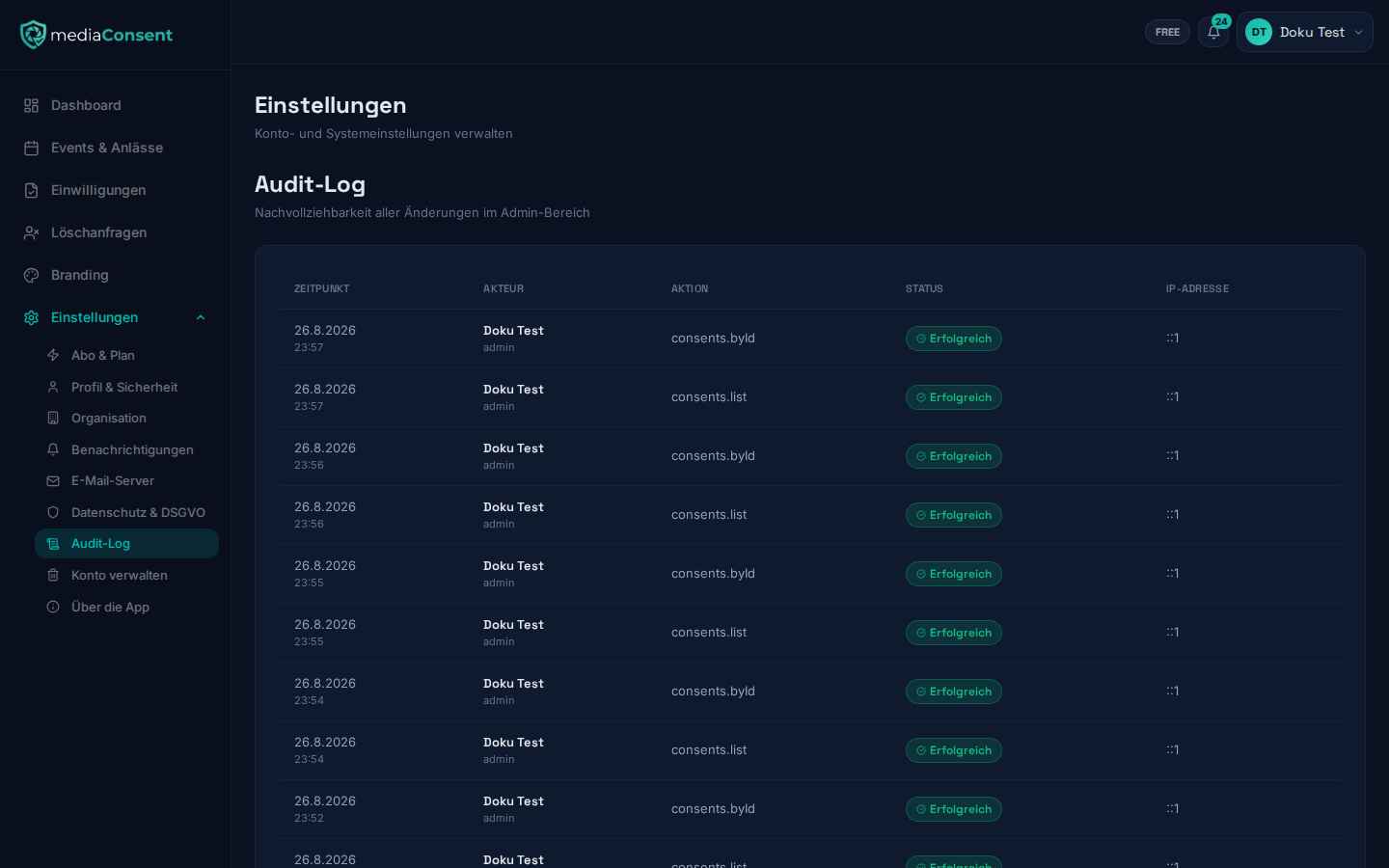
What you see per entry
- Timestamp
- Actor — the name and role of the person who performed the action
- Action
- Status — "Successful" or "Failed" (including the error message for failures)
- IP address
The list is paginated (20 entries per page) and can't be edited or deleted afterwards.