Notifications
mediaConsent informs you about new consents and refusals — both directly in the app and optionally via email.
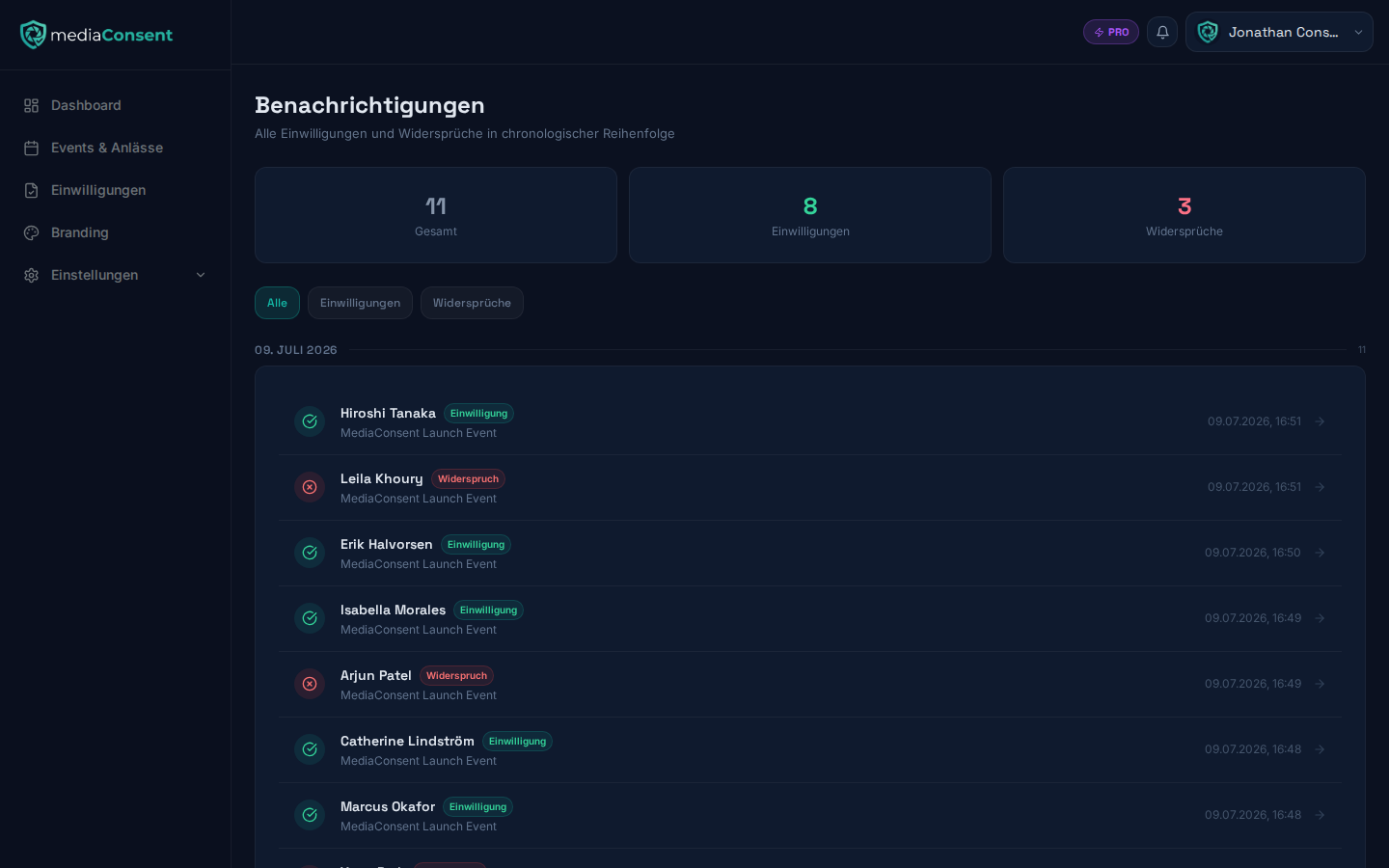
Notification center
Under Notifications (bell icon in the navigation) you'll find a
chronological list, grouped by day. The "All", "Consents", and "Refusals"
filters let you narrow the list down. Clicking an entry opens the
corresponding consent detail page (or, for system notices, the relevant
target — see below). A tile overview at the top shows the total number of
entries as well as the number of consents and refusals among them.
Besides consents and refusals, general system notices can also appear here, e.g. once a triggered ZIP export is ready. These entries count toward the total but not toward the "Consents"/"Refusals" filters, and clicking them leads directly to the relevant target (e.g. the download link) instead of a consent detail page.
Configuring email notifications
Under Settings → Notifications there are two toggles:
- Notify on new consent/refusal — sends you an email as soon as a guest completes the consent flow (enabled by default)
- Weekly report — sends a summary of the past week's activity (disabled by default)
Changes only take effect after clicking "Save".
Both notification channels are fully available on both the Free and Pro plans — see Plan & Billing.