GDPR Overview
Under Settings → GDPR Overview you'll find a summary of which GDPR
requirements mediaConsent supports technically, what you remain
responsible for, and how your account is currently configured.
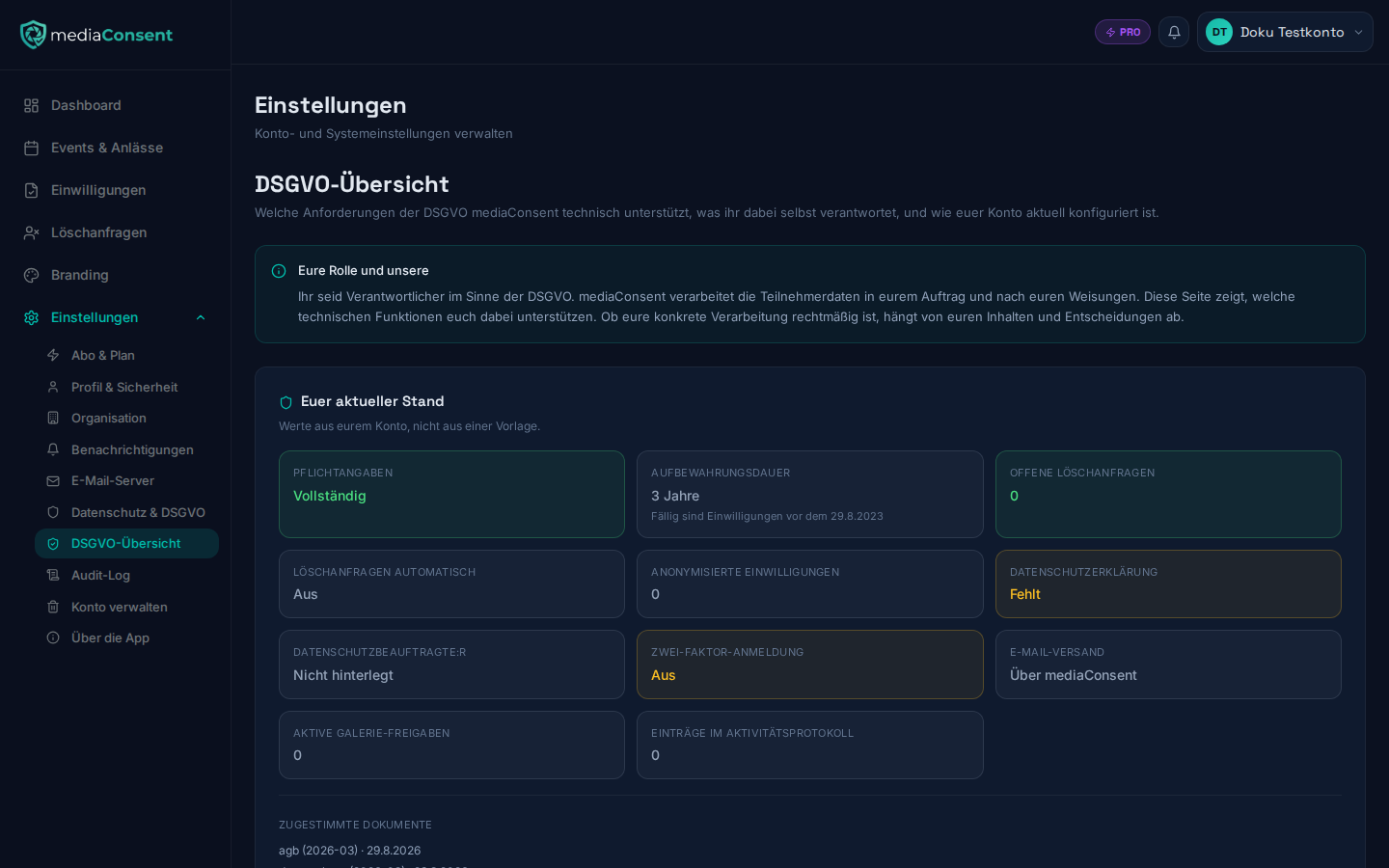
:::info You are the controller, mediaConsent is the processor You are the controller under the GDPR. mediaConsent processes attendee data on your behalf and on your instructions. This page shows which technical functions support you in doing so — whether your specific processing is lawful depends on your content and your decisions. This page is not legal advice. :::
Your current setup
A tile block shows live values from your account, including:
- Completeness of the required legal details (see Privacy Settings)
- Configured retention period with a calculated cutoff date
- Open deletion requests, including the age of the oldest one (see Deletion Requests)
- Whether deletion requests are processed automatically
- Number of already anonymised consents
- Whether a privacy policy and a data protection officer are on file
- Whether two-factor sign-in is enabled for your account
- Whether you use your own SMTP server (see Custom SMTP Server), with a note to check yourself where that provider processes the data
- Number of active gallery shares and their next expiry
- Size of the activity log (see Audit Log)
- Accepted legal documents with version and date
- If an account deletion is scheduled: the planned deletion date and whether the data export has already been sent (see Delete Account)
These values are purely informational and change as soon as you adjust the corresponding settings.
Article by article
Below that, the page lists 21 GDPR articles relevant to event consents. Each entry can be expanded and shows three things:
- What the article requires — short and in plain language
- What mediaConsent does — only what is actually implemented
- What you are responsible for — filled in for every article, even when the answer is "mediaConsent does not cover this"
The list deliberately has no checkmark and no overall score per article — an article is either applied correctly by you or not, that's not something the software can judge for you.
What mediaConsent does not cover
A dedicated section names gaps openly instead of staying silent, for example:
- There is no function to correct attendee data after the fact (Art. 16)
- There is no in-between state "processing restricted" between signed and revoked (Art. 18)
- There is no age check and no guardian flow for minors (Art. 8)
- The self-service page does not cover every detail Art. 15 requires
Related links
At the bottom of the page, direct links lead to Privacy Settings, the Audit Log, and the public privacy policy with the full description of the technical and organizational measures.