Custom SMTP Server
Under Settings → Email you configure which server mediaConsent uses to
send emails to your guests (signed consent PDF, gallery invitations,
revocation confirmations).
System delivery (default)
Without any custom configuration, mediaConsent sends emails via the system SMTP. This works out of the box, but the sender appears as a mediaConsent system address.
Custom SMTP server (Pro)
:::info Pro feature Custom SMTP delivery is part of the Pro plan — see Plan & Billing. :::
Enable the "Use custom SMTP server" toggle to send emails through your own mail server (e.g. to use your own sender domain).
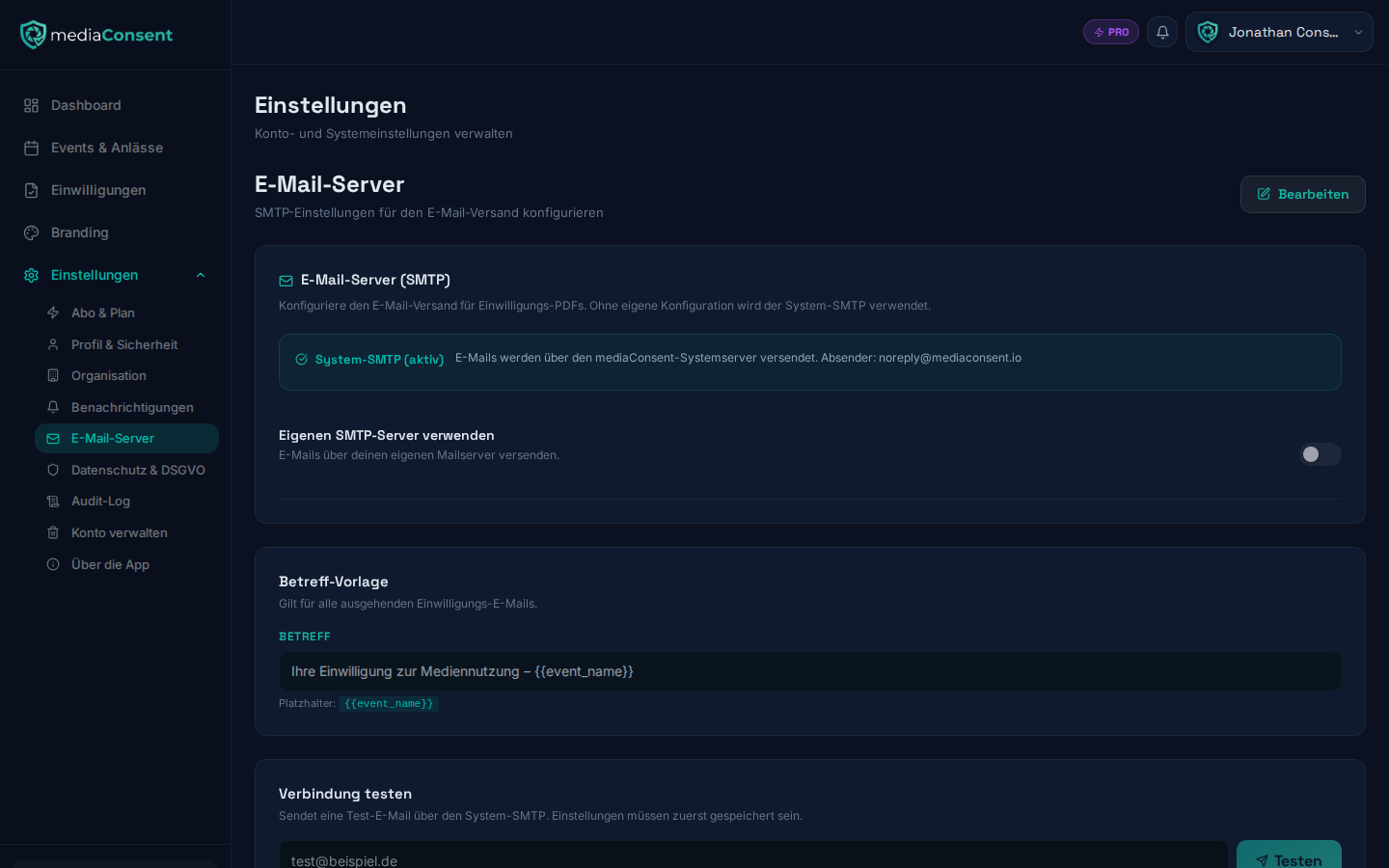
The following fields are required:
- SMTP host (e.g.
smtp.gmail.com) - SMTP port — 587 (STARTTLS), 465 (SSL/TLS, enabled automatically), or 25
- Username
- Password — stored encrypted; when editing again, the field stays empty until you enter a new password
- Sender name (default: "mediaConsent") and sender email
- Reply-to address (optional) — a different reply-to address
As long as no custom SMTP is verified, the system SMTP is used automatically as a fallback, so email delivery isn't interrupted.
Subject template
The email subject can be freely customized, including the placeholder
{{event_name}}. Default: Your consent for media usage – {{event_name}}.
Testing the connection
After saving, you can send a test email to any address in the "Test connection" section. On success, the SMTP configuration is marked as verified (with a timestamp), and a green "Verified" badge appears next to the toggle. The test button is disabled while there are unsaved changes — save first.