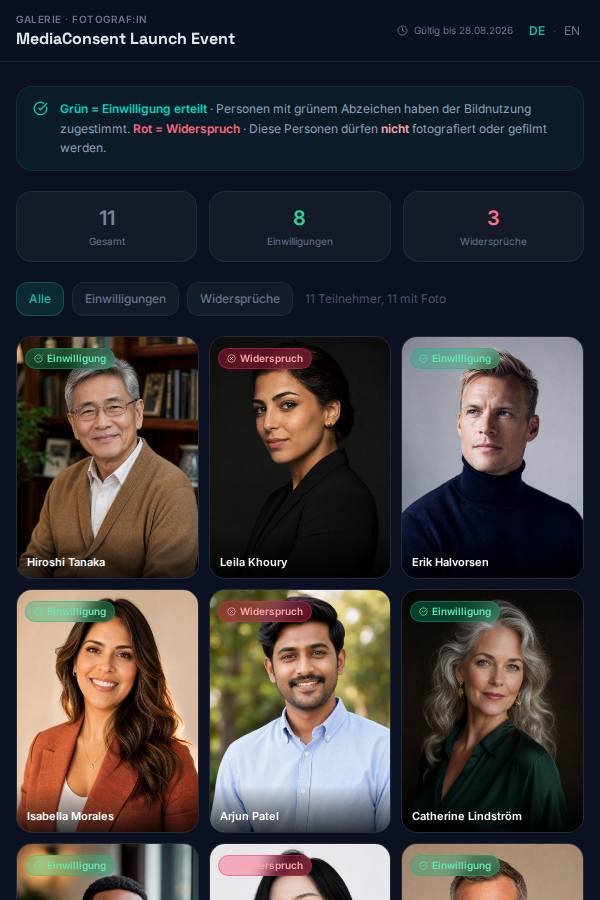
Gallery Shares
:::info Pro feature Gallery shares are part of the Pro plan — see Plan & Billing. :::
From Event → Gallery you can share an event's reference photos
in bulk with external people (e.g. a marketing agency or your client) —
without them needing their own mediaConsent account.
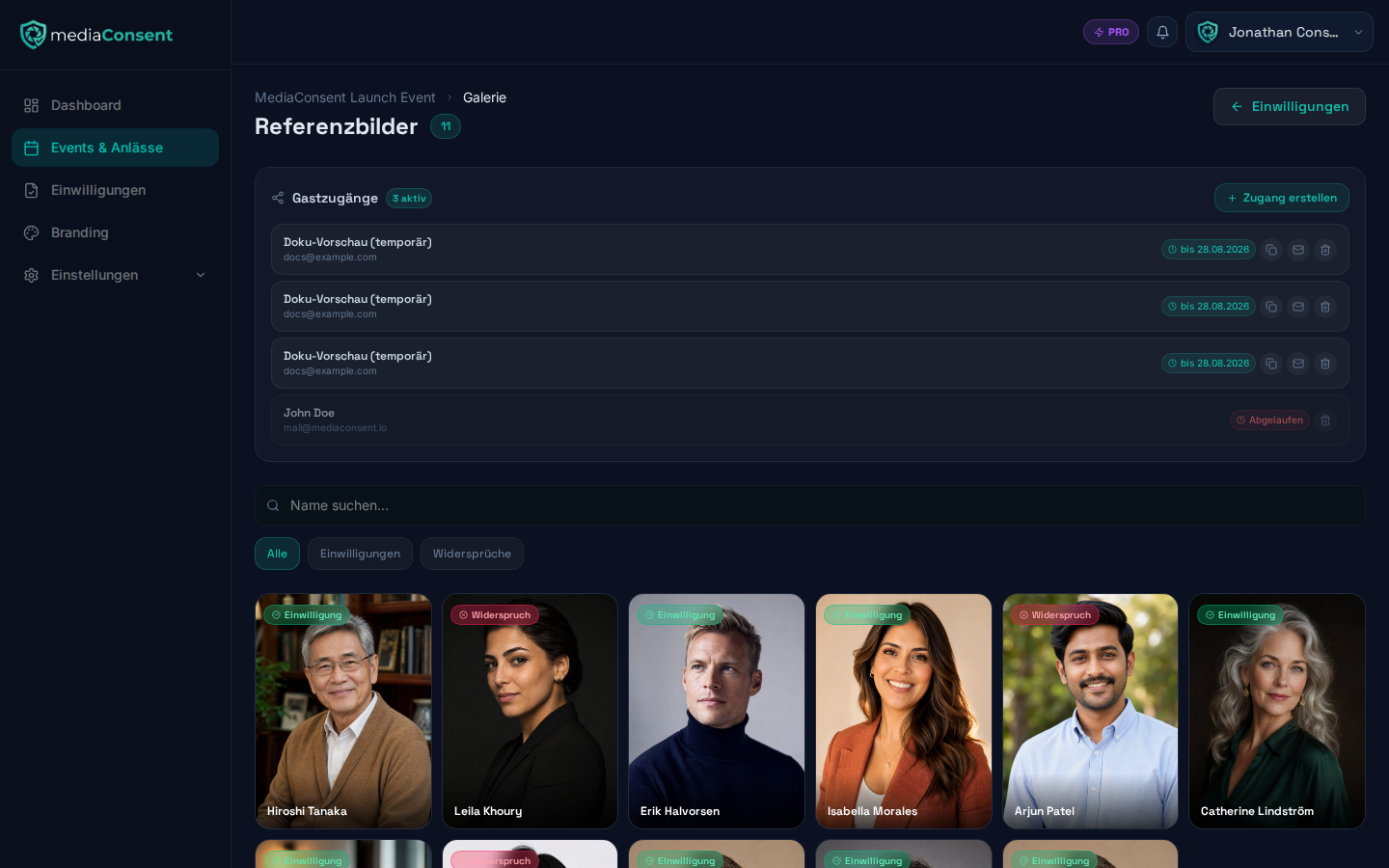
Creating a share
- Click "Share access" in the gallery.
- Enter the recipient's email address.
- Optionally, give it a label (e.g. "Agency XY") to tell entries apart in the list.
- Choose an expiration date (default: 7 days from today).
- Decide whether the invitation should be emailed automatically.
- Click "Create".
PIN protection
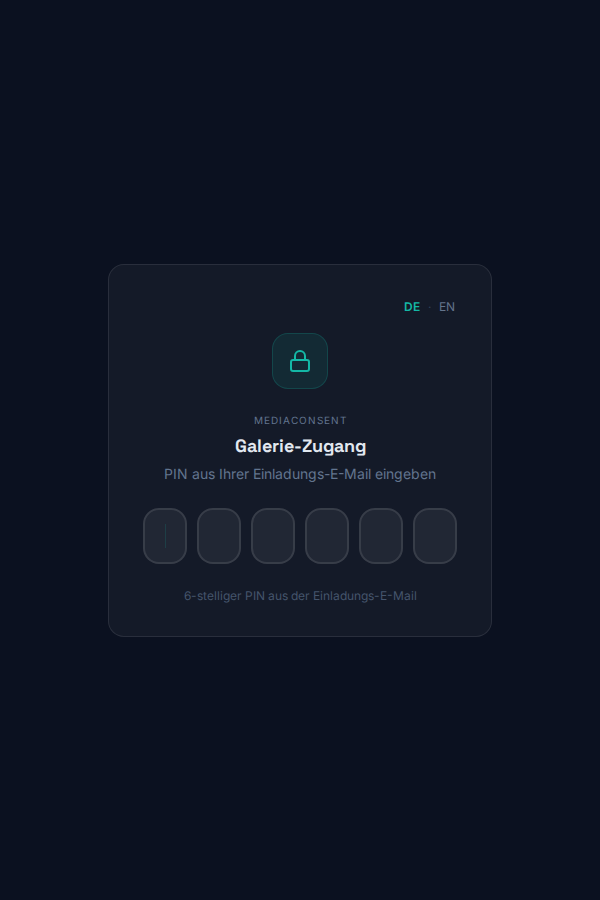
Each share gets an individual link (/g/<token>) and a 6-digit PIN,
shown once right after creation. Accessing the gallery requires both the
link and the PIN — share the PIN separately (e.g. by phone) if you're
not sending the invitation email automatically.
Managing shares
The list of shares for an event shows, per entry:
- Email/label
- Expiration date or "Expired" status
- Copy link
- Resend invitation (generates a new PIN)
- Revoke (deletes the share immediately)
Expired shares are shown greyed out and can no longer be used, but remain visible in the list until manually revoked. "Revoke" requires confirmation, since it deletes the share immediately and permanently. The number of active shares also appears in the event statistics on the event's detail page.
What does the invited person see?
Opening the link first shows a PIN entry screen:
After entering the link and PIN, the person sees a photo gallery (reference photos) of the event with each guest's name and status (consent/refusal) — useful, for example, to show photographers on-site who must not be photographed. No further contact details (email, signature, etc.) are visible. No account is required to access it. The gallery page also offers a language switcher (German/English) in case the invited person prefers a different language.