Kiosk Portal & Consent Flow
On the detail page of every active event, the "Portal" menu gives you a
QR code and a direct link (.../portal/<event-id>). Both lead to
the consent portal for that event — open the link on a tablet at the
entrance or let guests scan the QR code with their own smartphone. The QR
code and link are only visible while the event has the status "Active" —
for drafts and archived events, use the
portal preview instead.
Download the QR code as PNG
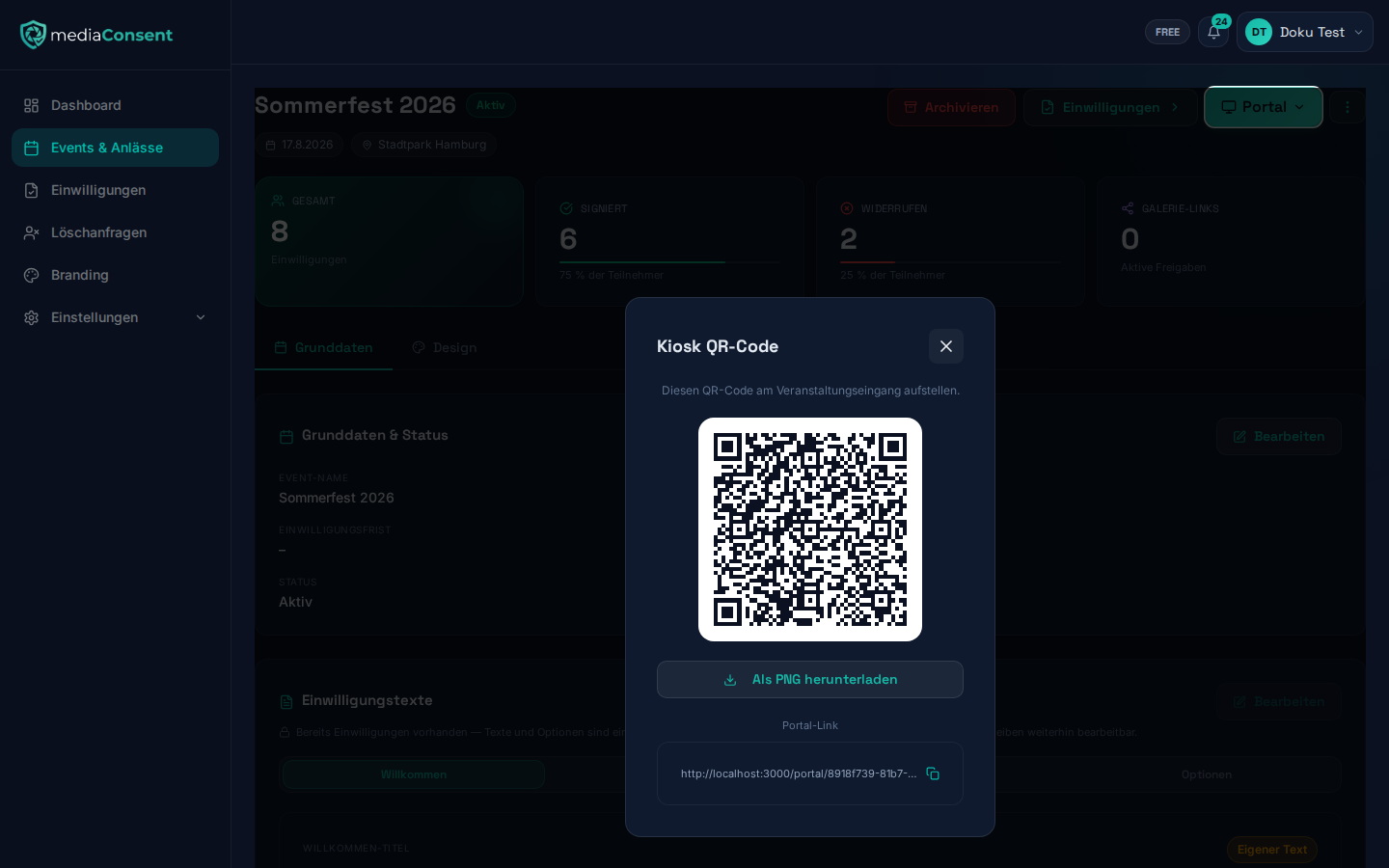
In the QR code window ("Kiosk QR Code"), below the code, there's a "Download as PNG" button. It downloads the QR code as a high-resolution 1500×1500px PNG (the filename is derived automatically from the event name) — handy for printing the code on signage or flyers at the event entrance.
Flow for guests
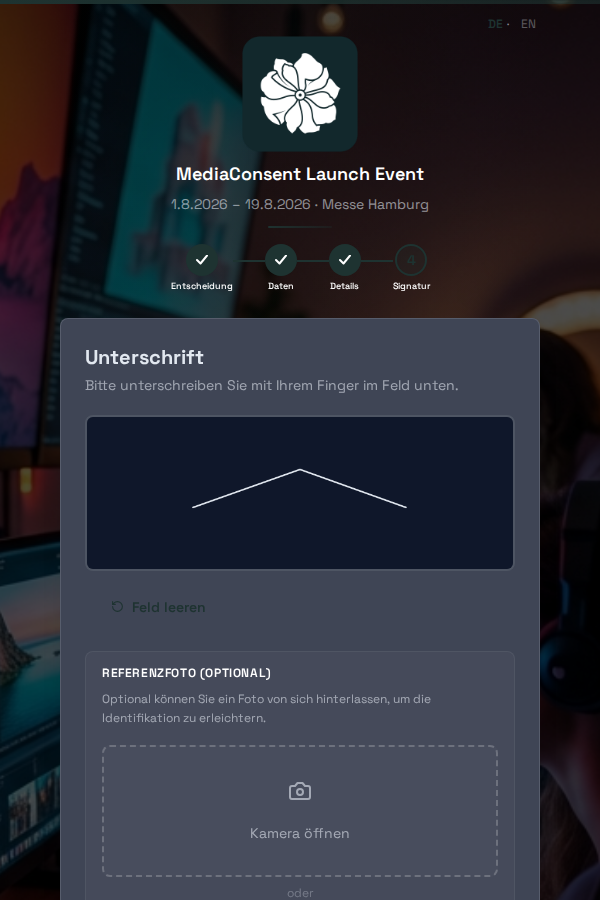
The portal guides guests through four steps:
-
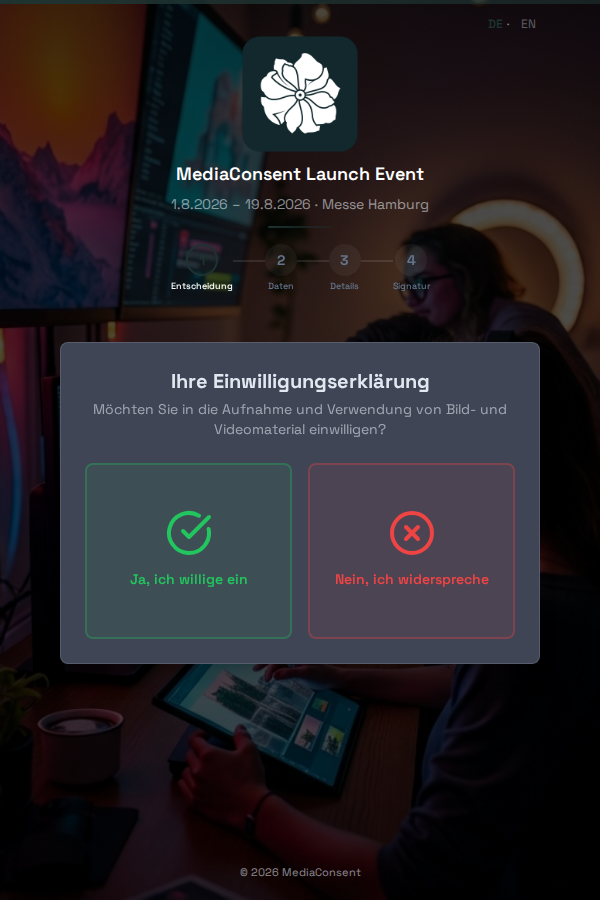
Decision — consent or objection, depending on the event's consent mode
-
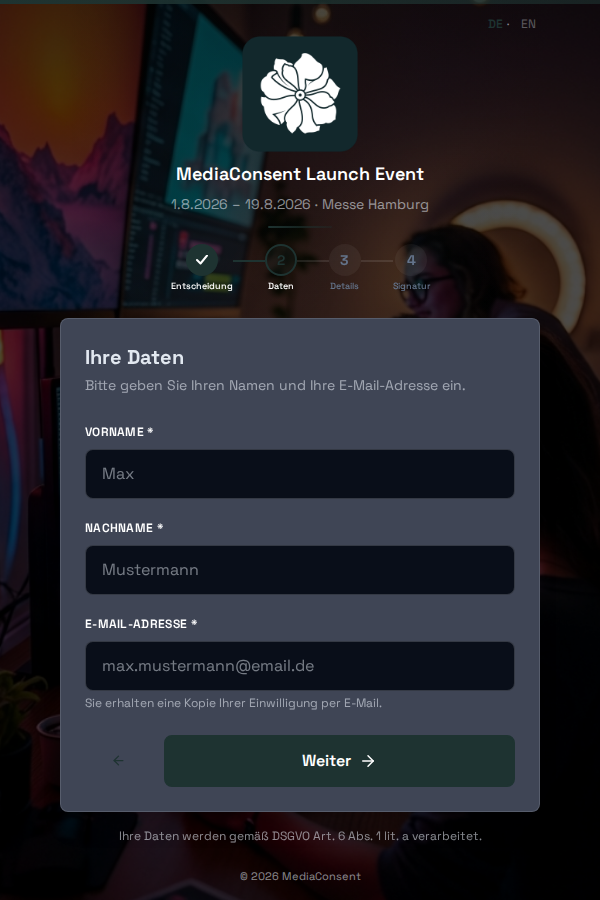
Data — name and email address
-
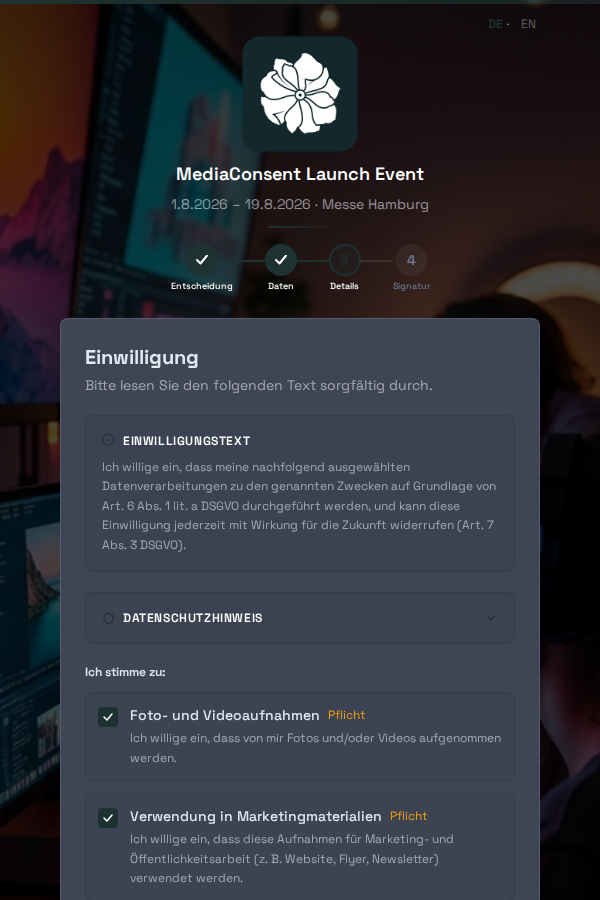
Details — the event's specific consent options (e.g. photo/video recordings, marketing use)
-
Signature — digital signature on the screen, optionally with a reference photo taken directly via the device's camera
After completion, the guest automatically receives a PDF copy of their consent or objection by email. The completion screen automatically jumps back to step 1 after 20 seconds, so the tablet is ready for the next guest right away — the countdown is shown ticking down.
One participation per email address
Already in step 2 ("Data"), mediaConsent checks whether the entered email address already has a consent or objection recorded for this event — even if that earlier response has since been revoked. Each event is designed to allow only one participation per person. This check intentionally happens here rather than at final submission, so the guest doesn't fill in options, reference photo, and signature for nothing.
If mediaConsent finds a match, an error message appears below the email field with a "Resend confirmation" link. This lets the guest have their original confirmation email with the PDF resent to them if they've lost it — without needing to contact you as the organizer.
Consent mode
On the event's detail page (tab "Basic info"), you define what step 1 of the portal asks guests:
- Both — guests can freely choose between consent and objection
- Consent only — only an affirmative consent is recorded
- Objection only — only an objection is recorded (e.g. if you generally photograph everyone and only need to document opt-outs)
Tablet/kiosk mode
For continuous use at the entrance, you can open the portal in fullscreen on a tablet so multiple guests can go through the flow one after another without staff having to navigate manually each time.
Portal preview
Next to the real portal link, the "Portal" menu on the event's detail page also offers "Preview" — a click-through mode for organizers that shows the complete consent flow but does not save any real consents.
The preview works regardless of the event's status and even after the consent deadline has passed — so you can view the portal of a not-yet-activated draft or an already archived event at any time, e.g. to check texts and branding beforehand.
Consent deadline
Once an event's consent deadline has passed, the real portal link shows guests a notice that the deadline for consents has expired — regardless of whether the event is still marked "Active". New consents are then no longer possible. Adjust the deadline on the event's detail page if you need more time.
Multiple languages
The portal is available in German and English. Guests will find a language switcher at the top of the portal and can pick their preferred language independently of the tablet's device/system language — handy for international events, for example. The choice applies to the current run and is reset once the portal automatically jumps back for the next guest.
Revocation
Any consent can be revoked at any time via an individual link (included in the confirmation email) — no login required. See Manage Consents for details.