Deletion Requests
Through the self-service page, a participant can
request deletion of a single consent (Art. 17 GDPR, "right to erasure").
You manage these requests under "Deletion Requests" in the navigation
(/admin/deletion-requests).
:::warning mediaConsent never deletes on its own As the organizer, you are the data controller under GDPR; mediaConsent is only a data processor (Art. 28 GDPR). A deletion request is therefore never processed automatically unless you explicitly enable that — you have to actively confirm or decline every request. :::
Handling requests
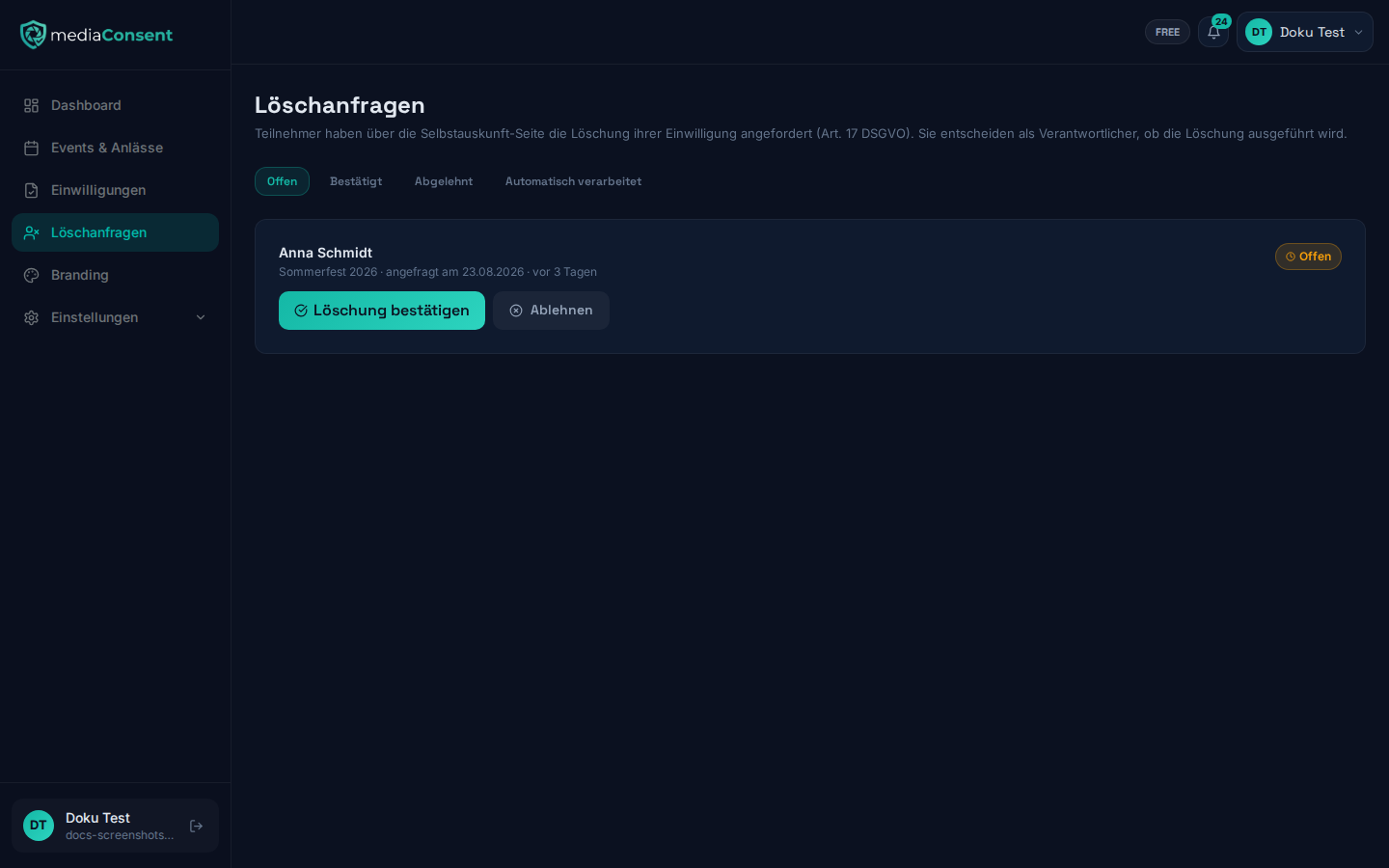
The list can be filtered by status: Pending, Confirmed, Declined, Auto-processed. For every pending request you see the name, event, and the time the request was made, plus two options:
- "Confirm deletion" — triggers anonymization: name and email address are replaced with "[ANONYMIZED]", and the PDF, reference photo, and signature are deleted from storage.
- "Decline" — requires a reason (e.g. a legal retention period that's still running), which is logged and shown to the requesting person.
Notifications
You automatically receive an email notification for every new deletion request. If you don't respond, two reminder emails follow — after 14 and after 28 days.
Automatic processing
By default, a pending request stays open until you respond. Under
Settings → Privacy & GDPR, in the "Retention periods" section, you can
enable the "Automatically process deletion requests" toggle: if you
then don't respond for 30 days, the request is processed
automatically (the same anonymization as a manual confirmation). See
Privacy Settings for
details.
This is a deliberate instruction you set yourself for mediaConsent as your data processor — without enabling it, nothing happens automatically once the deadline passes; the request stays open.